
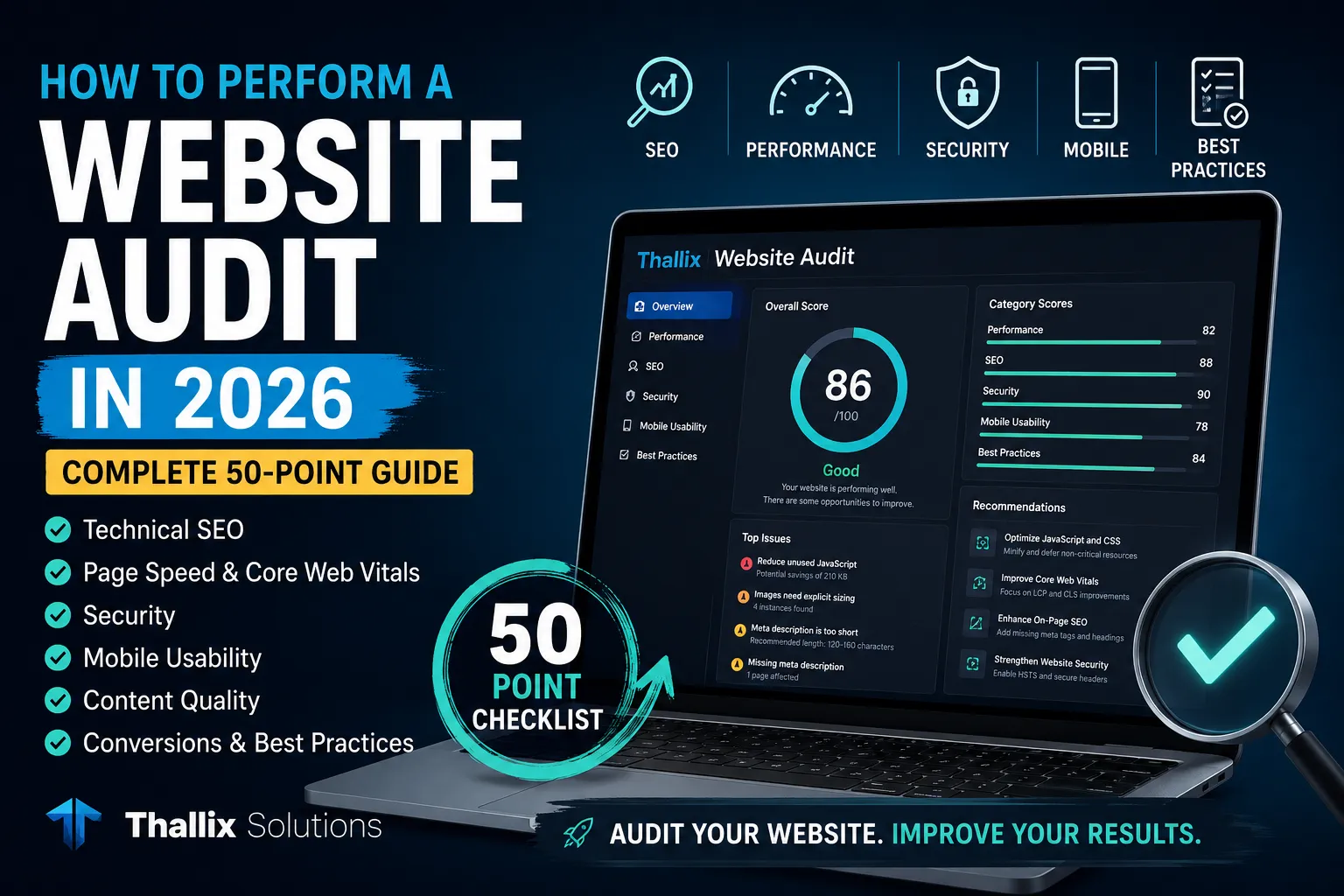
If your website is not generating enough traffic, leads, phone calls, or sales, the problem may not be your business. Hidden technical errors, slow pages, weak search engine optimization, confusing navigation, poor mobile usability, or missing security protections may be preventing your website from reaching its full potential.
A professional website audit helps you uncover those problems before they cost you more visitors and customers. It gives you a clear picture of what is working, what is hurting your website, and what should be fixed first.
In this complete guide, you will learn how to perform a website audit in 2026, even if you are not a developer or SEO expert. We will examine technical SEO, on-page optimization, website speed, Core Web Vitals, mobile usability, security, accessibility, content quality, local SEO, conversion performance, and more.
You will also find a practical 50-point website audit checklist that you can use whenever you launch, redesign, update, or troubleshoot a website.
🚀 Start With a Free Website Audit
Want a quick overview before working through the full checklist? Analyze your website's SEO, performance, security, mobile usability, and best practices in under 60 seconds.
Table of Contents
- What Is a Website Audit?
- Why Website Audits Matter in 2026
- What You Need Before Starting
- Technical SEO Audit
- On-Page SEO Audit
- Content Quality Audit
- Website Performance Audit
- Core Web Vitals Audit
- Mobile Usability Audit
- Website Security Audit
- Accessibility Audit
- Local SEO Audit
- Conversion and User Experience Audit
- Competitor Audit
- How to Prioritize Your Fixes
- 50-Point Website Audit Checklist
- How Often Should You Audit Your Website?
- Frequently Asked Questions
What Is a Website Audit?
A website audit is a structured review of the factors that affect a website's visibility, performance, usability, security, and ability to convert visitors into customers.
Think of it as a health inspection for your website. A page may look attractive on the surface while still having serious problems underneath. Search engines may be unable to crawl an important section. Images may be slowing down mobile visitors. Several pages may target the same keyword. Contact forms may not work. Security headers may be missing. A confusing menu may cause potential customers to leave before they understand what you offer.
A complete audit is broader than a basic SEO scan. It normally examines six major areas:
- Technical health: Whether search engines can crawl, understand, and index the website correctly.
- Search optimization: Whether titles, descriptions, headings, URLs, internal links, and content match relevant search intent.
- Performance: Whether pages load quickly and respond smoothly on real devices.
- Security: Whether visitors are protected by HTTPS and sensible browser security controls.
- User experience: Whether the website is easy to navigate, read, and use on desktop and mobile devices.
- Conversions: Whether visitors are guided toward meaningful actions such as calling, requesting a quote, purchasing, subscribing, or booking a consultation.
An automated tool can identify many common issues quickly, but the strongest audits combine automated results with human review. A tool can detect a missing title tag, for example, but a person must decide whether the title accurately reflects the page and persuades the right visitor to click.
Why Website Audits Matter in 2026
Modern websites are rarely static. Plugins are updated, themes change, scripts are added, pages are removed, marketing campaigns create new URLs, and third-party services inject additional code. A website that worked perfectly six months ago may now contain broken links, duplicate pages, slower load times, outdated information, or tracking errors.
Search has also become more competitive. Your website may appear in traditional organic results, maps, image results, video results, shopping features, featured snippets, AI-generated search experiences, or not at all. Despite changes in how results are presented, the fundamentals remain important: search engines need to access your pages, understand them, trust their quality, and determine that they satisfy a user's need.
Google's public guidance continues to emphasize crawlable websites, useful people-first content, clear page structure, secure delivery, mobile compatibility, and strong page experience. A technically perfect page is not guaranteed to rank, but technical problems can prevent strong content from receiving the visibility it deserves.
A good audit can help you:
- Find pages that are missing from search results.
- Identify slow or unstable pages that frustrate visitors.
- Improve titles and descriptions that receive impressions but few clicks.
- Detect broken links and outdated redirects.
- Strengthen mobile navigation and readability.
- Resolve duplicate or conflicting content.
- Improve trust through HTTPS and security protections.
- Find weak calls to action and conversion obstacles.
- Create a prioritized plan instead of making random changes.
Most importantly, an audit separates symptoms from causes. A traffic decline may appear to be an SEO problem, but the true cause could be accidental noindex tags, server errors, a redesign that removed internal links, or pages that no longer satisfy search intent.
What You Need Before Starting a Website Audit
You can perform a basic audit with only your website address, but access to the following information will produce a more complete analysis:
- Your website's content management system or hosting control panel.
- Google Search Console.
- Google Analytics or another privacy-compliant analytics platform.
- Your XML sitemap and robots.txt file.
- A list of your most important products, services, and target locations.
- A list of your top competitors.
- Recent leads, calls, sales, or form-submission data.
- Any known website problems reported by customers or staff.
Before changing anything, create a backup. This is especially important for WordPress websites, eCommerce stores, and sites using custom code. Record your current traffic, rankings, conversion rate, and performance scores so you can compare results after the fixes are implemented.
It is also useful to identify the website's primary goal. A local contractor may want phone calls and quote requests. A lawyer may want consultation bookings. An online store may want completed purchases. A publisher may want page views and newsletter subscribers. Every audit recommendation should support the website's actual business objective.
Part 1: Perform a Technical SEO Audit
Technical SEO focuses on whether search engines can discover, crawl, render, understand, and index your pages. It creates the foundation upon which content and authority can perform.
1. Confirm That Google Can Find Your Website
Search Google for:
site:yourdomain.com
This command does not provide an exact index count, but it can reveal whether Google knows about your domain and which pages commonly appear. Search for a few important page titles and service names as well.
If your website does not appear, check whether it is new, password protected, blocked by robots.txt, marked with a noindex directive, returning server errors, or lacking links from any discoverable pages.
2. Review Google Search Console
Google Search Console should be one of the first places you check. Review indexing reports, crawl errors, manual actions, security issues, Core Web Vitals, search queries, and sitemap status.
Pay particular attention to important URLs that are categorized as excluded, crawled but not indexed, discovered but not indexed, duplicate, redirected, or blocked. Some exclusions are completely normal. Thank-you pages, account pages, internal search results, and duplicate tracking URLs may not belong in the index. The important question is whether your valuable public pages are indexed correctly.
3. Check robots.txt
Your robots.txt file tells search engine crawlers which areas of your website they may access. A small configuration mistake can block important pages or, in serious cases, prevent search engines from crawling the entire website.
Example: A robots.txt rule that blocks all crawlers may be useful on a private staging website, but it should not remain active after the website goes live. If it does, Google and other search engines may be unable to properly crawl your pages.
This file tells compliant crawlers which areas they may request. A small mistake can block an entire website or an important directory.
Watch for rules such as:
User-agent: *
Disallow: /
That rule blocks crawling across the entire site. It may be appropriate on a private staging website, but it is usually disastrous on a public business website.
Remember that robots.txt manages crawling, not guaranteed removal from search. Pages that must not appear in search should generally use appropriate authentication or an index-control method that search engines can actually access and process.
4. Inspect Your XML Sitemap
An XML sitemap helps search engines discover the canonical URLs you consider important. It should include indexable pages that return successful responses and exclude redirected, duplicate, broken, private, and noindex URLs.
Common sitemap locations include:
https://yourdomain.com/sitemap.xmlhttps://yourdomain.com/sitemap_index.xmlhttps://yourdomain.com/wp-sitemap.xml
Submit the sitemap through Google Search Console. Do not assume that sitemap inclusion guarantees indexing. A sitemap is a discovery and canonicalization signal, not an order that forces a search engine to rank or index a page.
5. Check Indexing Directives
Inspect your most important pages for accidental indexing restrictions. These settings can instruct search engines not to include a page in their search results.
Example: If a service page, product page, blog article, or homepage is accidentally marked as noindex, it may disappear from Google even though visitors can still open it directly.
Also review the X-Robots-Tag HTTP header, especially for PDFs, generated files, and pages managed outside your normal website templates.
Also review the X-Robots-Tag HTTP header, especially for PDFs, generated files, and pages managed outside your normal templates.
After a website redesign or staging migration, accidental noindex directives are among the most damaging mistakes. Check the homepage, service pages, location pages, blog posts, product pages, and category pages.
6. Review Canonical Tags
A canonical tag helps search engines identify the preferred version of a page when multiple URLs contain the same or very similar content.
Example: If the same page can be accessed through several URLs, the canonical tag should point search engines toward the main version you want indexed and ranked.
Make sure your canonical tags do not point to the homepage, an old URL, a staging domain, the wrong language version, or an unrelated page.
Every indexable page should usually reference the correct preferred URL. Look for canonicals that point to the homepage, staging domain, HTTP version, wrong language, obsolete slug, or an unrelated page.
Canonical signals should agree. Internal links, sitemap entries, redirects, and canonical tags should consistently point to the same preferred version.
7. Standardize Domain and URL Versions
A website may technically be accessible through several versions:
http://example.comhttp://www.example.comhttps://example.comhttps://www.example.com
Select one preferred HTTPS version and redirect the others to it. Also standardize trailing slashes, uppercase and lowercase URLs where relevant, and duplicate parameter variations.
8. Find Broken Pages and Server Errors
Crawl the website and identify:
- 404 errors: The requested page cannot be found.
- Soft 404s: A page appears missing but returns a successful status.
- 500 errors: The server failed to complete the request.
- 503 errors: The service is temporarily unavailable.
- Redirect loops: URLs continually redirect and never load.
- Long redirect chains: One URL passes through multiple unnecessary redirects.
Replace broken internal links with the correct destination. Redirect retired URLs only when a genuinely relevant replacement exists. Do not redirect every missing page to the homepage, because that creates a confusing experience and may be treated as a soft 404.
9. Improve Website Architecture
Important pages should be easy to reach through normal internal links. A clear hierarchy might look like this:
Homepage → Services → Website Design → WordPress Website Design
Avoid burying valuable pages behind complicated filters, search forms, or JavaScript interactions that do not produce normal crawlable links. Most business pages should be reachable within a few logical clicks from the homepage.
10. Audit Structured Data
Structured data helps search engines understand entities and page types. Depending on your website, relevant markup may include:
- Organization
- LocalBusiness
- Service
- Product
- Article
- BreadcrumbList
- Event
- VideoObject
Use markup only when it accurately describes visible page content. Validate it, remove outdated values, and make sure business names, URLs, prices, availability, authors, and dates match what visitors see.
Part 2: Perform an On-Page SEO Audit
On-page SEO helps search engines and visitors understand what each page is about. The goal is not to repeat keywords unnaturally. The goal is to create a clear, useful page that answers the right question better than competing alternatives.
11. Review Each Page's Search Intent
Search intent describes what the searcher is trying to accomplish. Common types include:
- Informational: The user wants to learn something.
- Commercial: The user is comparing products, providers, or solutions.
- Transactional: The user is ready to buy, book, call, or request a quote.
- Navigational: The user wants a specific brand or website.
A page about “how to perform a website audit” should teach the process. A page targeting “website audit service” should explain the service, deliverables, expertise, pricing approach, and next step. Mixing several incompatible intentions on one page can weaken its usefulness.
12. Audit Title Tags
The title tag is one of the clearest signals of a page's topic and often influences the clickable title shown in search results.
A strong title should be specific, descriptive, readable, and aligned with the page's content. Avoid duplicate titles, vague labels such as “Home,” excessive repetition, and long strings of locations or services.
Example:
Weak: Services | Company Name
Improved: Small Business Website Design in New Jersey | Thallix
Google may rewrite displayed titles when it believes another description is more useful, so the visible heading and page content should reinforce the same topic.
13. Audit Meta Descriptions
A meta description summarizes a page for search engines and may appear beneath the page title in search results. It does not guarantee higher rankings, but a clear and relevant description can help attract more qualified clicks.
Example: A strong meta description for this guide might say: “Learn how to audit your website's SEO, speed, security, mobile usability, and Core Web Vitals with this complete 2026 checklist.”
Avoid copying the same description across every page. For larger websites, prioritize the homepage, service pages, product categories, important products, high-traffic articles, and location pages.
14. Check Heading Structure
Use headings to create a logical outline. The main page heading should clearly describe the subject. Subheadings should organize major sections and make long content easier to scan.
Do not select heading levels only because of their visual size. Style headings with CSS and use HTML levels to represent structure. A page does not need to follow an absolutely rigid pattern in every edge case, but the hierarchy should make sense to users and assistive technology.
15. Improve URLs
Good URLs are concise, descriptive, stable, and easy to understand.
Weak: example.com/page?id=1847&cat=9
Improved: example.com/services/website-audits/
Avoid changing established URLs without a strong reason. When a change is necessary, implement a permanent redirect, update internal links, update the sitemap, and verify that the new page preserves the original intent.
16. Audit Internal Links
Internal links help visitors discover related content and help search engines understand the relationship and importance of pages.
Use descriptive anchor text instead of vague phrases such as “click here.” For example, link the phrase free website audit tool when that is the destination.
Look for:
- Important pages with very few internal links.
- Old internal links that pass through redirects.
- Broken links.
- Overoptimized repeated anchors.
- Pages that compete for the same topic.
- Blog posts that should link to relevant services.
- Service pages that should link to useful guides and case studies.
17. Audit External Links
External links can support claims, direct users to original sources, and improve usefulness. Check that important references still work and that you are linking to trustworthy sources.
Sponsored or paid placements should use appropriate link attributes. User-generated links may also require special handling. Do not add nofollow automatically to every legitimate editorial source simply because it leaves your website.
18. Optimize Images
Every important image should have a clear purpose. Compress large files, use appropriate dimensions, and consider modern formats such as WebP or AVIF where they work reliably in your environment.
Use descriptive file names when practical:
Weak: IMG_4938.jpg
Improved: website-audit-dashboard.jpg
Write useful alternative text for images that communicate information. Decorative images should generally use empty alt text so screen readers can skip them.
Reserve the image's display dimensions to reduce layout movement, and avoid loading the main above-the-fold image lazily when doing so delays the page's primary visual content.
Part 3: Audit Content Quality
Technical improvements cannot compensate for content that is vague, outdated, copied, unhelpful, or disconnected from what customers actually need.
19. Inventory Your Content
Create a spreadsheet containing each indexable URL, title, content type, target topic, traffic, impressions, clicks, conversions, backlinks, publication date, and last meaningful update.
Classify each page as:
- Keep: Useful and performing well.
- Improve: Valuable topic, but incomplete or outdated.
- Combine: Overlaps substantially with another page.
- Redirect: No longer needed, but has a relevant replacement.
- Remove: Provides no value and has no meaningful replacement.
20. Identify Thin or Unhelpful Pages
Word count alone does not determine quality. A short contact page may fully satisfy its purpose, while a 4,000-word article may still be repetitive and unhelpful.
Ask whether each page:
- Answers a real question or supports a real task.
- Provides information that is accurate and current.
- Demonstrates first-hand knowledge where appropriate.
- Explains the next step.
- Offers something more useful than a rewritten summary of competing pages.
- Matches the business and audience of the website.
21. Find Keyword Cannibalization
Keyword cannibalization occurs when multiple pages compete for the same purpose and search intent. This is not simply a case of two pages mentioning the same phrase. It becomes a problem when search engines and users cannot tell which page is the main resource.
For example, separate posts titled “Website Audit Guide,” “Complete Website Audit Guide,” and “How to Audit a Website” may overlap heavily. Combining them into one strong cornerstone article can produce a clearer result.
22. Update Outdated Information
Review dates, screenshots, pricing, staff details, statistics, product availability, legal statements, service areas, software instructions, and external references.
Do not change a publication date merely to make old content appear new. Make meaningful improvements, explain important revisions when useful, and update the modified date accurately.
23. Strengthen Experience and Trust
Visitors should understand who created the content and why they should trust it. Depending on the subject, add:
- An author name and useful biography.
- Real project examples.
- Original screenshots and test results.
- Customer testimonials with permission.
- Clear contact information.
- Editorial or correction policies.
- Sources for factual claims.
- Transparent limitations and disclosures.
For a web design business, real audits, before-and-after performance results, screenshots, and explanations of completed work can be more persuasive than generic claims of expertise.
24. Format Content for Humans
Large walls of text are difficult to read, especially on mobile devices. Use descriptive headings, concise paragraphs, lists, examples, screenshots, tables, and callout boxes where they genuinely improve understanding.
Write the answer clearly before worrying about how often a keyword appears. Natural variations will usually emerge when the subject is covered thoroughly.
Not Sure Which Problems Matter Most?
Run your website through the Thallix Website Audit Tool for a quick breakdown of key categories and recommended improvements.
Part 4: Perform a Website Performance Audit
Website speed affects usability, conversions, crawling efficiency, and customer trust. Performance should be evaluated on real mobile devices and real connections, not only on a fast office computer.
25. Measure Both Lab and Field Data
Lab tests run under controlled conditions and are useful for debugging. Field data reflects actual visitor experiences over time. The two may differ because real users have different devices, networks, locations, browser settings, and interaction patterns.
Use lab results to locate technical opportunities, but use field data to understand how the site performs for real visitors. A single perfect test does not prove that every user receives a perfect experience.
26. Improve Server Response Time
Slow server responses delay everything that follows. Common causes include:
- Overloaded or underpowered hosting.
- Uncached database queries.
- Bloated plugins.
- Slow external APIs.
- Unoptimized application code.
- Excessive redirects.
- Geographic distance from visitors.
Use full-page caching where appropriate, object caching for dynamic systems, efficient database queries, a content delivery network, and hosting sized for actual traffic.
27. Reduce Unused JavaScript
JavaScript can delay rendering, consume mobile CPU resources, and make interactions feel slow. Audit chat widgets, analytics scripts, advertising code, sliders, animations, social embeds, form libraries, and plugin assets.
Remove scripts that provide little business value. Load necessary code only on pages that use it. Defer noncritical work and split large bundles when your development platform supports it.
28. Reduce Unused CSS
Large stylesheets may include rules for components that are never used on the current page. Remove obsolete theme code, minify production files, and load critical styles efficiently.
Be careful with aggressive automated removal. Dynamic classes, popups, form validation, menus, and interactive states may appear only after user actions.
29. Optimize Fonts
Web fonts can improve branding but may delay text rendering. Limit font families and weights, use efficient formats, preload only truly critical files, and configure a suitable font-display strategy.
Consider whether a system font stack can provide an equally professional experience with less overhead.
30. Optimize Images and Video
Serve images close to their displayed dimensions rather than sending a 4,000-pixel photograph into a 400-pixel container. Use responsive image markup so mobile devices do not download unnecessarily large assets.
Compress videos, avoid autoplaying heavy background media on mobile, provide posters, and consider external hosting or streaming systems for large files.
31. Use Caching Correctly
Browser caching allows repeat visitors to reuse static files. Server or edge caching can reduce the work required to build pages. Configure appropriate cache durations and version filenames when assets change.
Do not cache personalized, sensitive, or frequently changing content incorrectly. Test logged-in sessions, shopping carts, account areas, and forms after enabling aggressive caching.
Part 5: Audit Core Web Vitals
Core Web Vitals are a set of user-experience measurements focused on loading, responsiveness, and visual stability. Google recommends evaluating them using the 75th percentile of page visits, separated by mobile and desktop where sufficient data exists.
32. Largest Contentful Paint
Largest Contentful Paint (LCP) measures how quickly the largest visible image or text block is rendered. A good target is 2.5 seconds or less.
Common LCP problems include slow server response, a large hero image, render-blocking CSS, delayed font loading, client-side rendering, and a main image that is discovered too late.
To improve LCP:
- Optimize the primary image.
- Do not lazy-load the likely LCP image.
- Preload critical assets carefully.
- Reduce server response time.
- Inline or prioritize critical CSS where appropriate.
- Reduce render-blocking scripts.
33. Interaction to Next Paint
Interaction to Next Paint (INP) measures page responsiveness across user interactions. A good target is under 200 milliseconds.
Poor INP often results from long JavaScript tasks, complex event handlers, excessive DOM updates, third-party scripts, and work performed on the main browser thread.
To improve INP:
- Break long tasks into smaller pieces.
- Reduce unnecessary JavaScript.
- Provide immediate visual feedback.
- Optimize event handlers.
- Avoid rendering enormous DOM structures.
- Test menus, filters, forms, tabs, and checkout interactions.
34. Cumulative Layout Shift
Cumulative Layout Shift (CLS) measures unexpected movement of visible content. A good score is 0.1 or less.
Common causes include images without dimensions, advertisements that appear after loading, injected banners, web fonts that change text dimensions, and dynamic content inserted above existing content.
To improve CLS:
- Set width and height attributes or aspect ratios for images and videos.
- Reserve space for ads, cookie notices, and embeds.
- Avoid inserting content above what the user is reading.
- Use font-loading strategies that minimize major shifts.
- Test popups and promotional bars on small screens.
Strong Core Web Vitals are valuable for visitors and are used within Google's page-experience systems, but they do not replace relevance, content quality, authority, or search intent. A faster irrelevant page will not automatically outrank a slower page that answers the query substantially better.
Part 6: Perform a Mobile Usability Audit
Most websites must work across a wide range of screen sizes, input methods, and network conditions. Google predominantly uses the mobile version of content for indexing, so the mobile experience should contain the same essential information and meaning as desktop.
35. Test Responsive Layouts
Review the site on several real phones if possible. Browser emulators are useful, but they do not reproduce every hardware, browser, keyboard, or network issue.
Check:
- Whether text is readable without zooming.
- Whether content fits the viewport.
- Whether menus open and close correctly.
- Whether buttons and links are easy to tap.
- Whether forms work with mobile keyboards.
- Whether tables and wide elements remain usable.
- Whether sticky bars hide important content.
- Whether popups can be dismissed.
37. Verify the Viewport
Your website should be configured to automatically adjust its layout for different screen sizes, ensuring a consistent and user-friendly experience across smartphones, tablets, laptops, and desktop computers.
Example: A properly configured viewport helps prevent text from appearing too small, content from extending beyond the screen, and visitors from needing to zoom or scroll sideways on mobile devices.
Without it, mobile browsers may render the page as a scaled-down desktop layout.
37. Keep Mobile and Desktop Content Consistent
Do not remove important service descriptions, links, headings, structured data, or image alternative text from the mobile version. Collapsible sections are acceptable when they improve usability, provided the content remains available in the page and functions correctly.
38. Test Calls to Action
Phone numbers should be tappable. Forms should request only necessary information. Buttons should not sit too close together. The primary action should be obvious without forcing users to navigate through several screens.
Part 7: Perform a Website Security Audit
A website security audit does not replace professional penetration testing, code review, patch management, or server monitoring. However, every website owner can check several important protections.
39. Enforce HTTPS
HTTPS encrypts communication between the visitor's browser and your website and helps protect the integrity and confidentiality of transmitted data.
Confirm that:
- The certificate is valid and renews correctly.
- All HTTP URLs redirect to HTTPS.
- Internal links use HTTPS.
- Forms submit securely.
- Canonical tags and sitemap URLs use HTTPS.
- No important assets load through insecure HTTP connections.
40. Remove Mixed Content
Mixed content occurs when an HTTPS page loads scripts, styles, images, video, or other resources through HTTP. Browsers may block active mixed content or display security warnings.
Update the resource URLs, replace obsolete third-party assets, and verify generated content, theme settings, database values, and CDN configuration.
41. Review Security Headers
Depending on the website and configuration, useful headers may include:
Content-Security-PolicyStrict-Transport-SecurityX-Content-Type-OptionsReferrer-PolicyPermissions-Policy- Frame protection through CSP or compatible controls
Do not copy an aggressive policy blindly. A poorly configured Content Security Policy can break forms, analytics, payment systems, videos, fonts, and other legitimate resources. Test policies in a staging environment and use reporting before strict enforcement.
42. Update Software and Remove Unused Components
Update the CMS, plugins, themes, frameworks, server packages, and custom dependencies. Remove abandoned plugins and unused themes. Every additional component increases maintenance work and may expand the attack surface.
Use strong unique passwords, multifactor authentication, limited administrator accounts, secure backups, malware monitoring, and least-privilege permissions.
43. Protect Forms and User Data
Collect only the information you genuinely need. Validate and sanitize input on the server, protect forms against abuse, use secure session handling, and avoid exposing private information in URLs, logs, analytics events, or public files.
Make sure privacy disclosures accurately describe what the website collects and how information is used. Legal requirements vary by location and business, so consult an appropriate professional when needed.
Part 8: Perform an Accessibility Audit
Accessible websites are easier to use for people with disabilities and often provide a better experience for everyone. Automated scanners can identify some issues, but manual testing remains essential.
44. Check Color Contrast and Text Readability
Text should remain readable against its background. Do not communicate important meaning through color alone. Make links recognizable, maintain comfortable line spacing, and avoid very small text.
45. Test Keyboard Navigation
Navigate the website using only the keyboard. You should be able to reach menus, buttons, links, form fields, modals, and interactive controls in a logical order.
The keyboard focus indicator must remain visible. Avoid focus traps, except where a properly implemented modal temporarily manages focus and returns it when closed.
46. Review Alternative Text
Informative images need alternative text that communicates their purpose. Decorative images usually need empty alternative text. Avoid beginning every description with “image of,” because assistive technology already identifies the element as an image.
47. Audit Forms
Every field should have an associated label. Error messages should explain what went wrong and how to fix it. Required fields should not rely on color alone. Test autocomplete, keyboard input, screen-reader announcements, and error recovery.
48. Use Semantic HTML
Use actual buttons for actions, links for navigation, headings for structure, lists for list content, and table markup for real data tables. Semantic elements provide behavior and meaning that generic containers do not provide automatically.
ARIA can help when native HTML cannot represent a custom component, but incorrect ARIA may make an interface less accessible. Prefer native elements whenever possible.
Part 9: Perform a Local SEO Audit
Businesses serving specific cities or regions should review their local search presence in addition to the website itself.
49. Review Business Information
Keep the business name, address, phone number, hours, website, and service information accurate across the website and major profiles. Correct old phone numbers, duplicate listings, outdated hours, and inconsistent addresses.
50. Improve Location and Service Pages
Create location pages only when you can provide genuinely useful, location-specific information. Avoid generating hundreds of nearly identical city pages with only the place name changed.
A helpful local page may include:
- Services available in the area.
- Local project examples.
- Neighborhoods or counties served.
- Relevant testimonials.
- Travel, delivery, or appointment details.
- Original photographs.
- A clear contact method.
51. Review Google Business Profile
Confirm the correct business category, service area, hours, contact details, website link, photographs, services, and appointment links. Respond professionally to reviews and avoid offering incentives that violate platform policies.
Part 10: Audit Conversions and User Experience
Traffic is valuable only when the website helps the right people take the next step. A conversion audit examines whether visitors can understand the offer, trust the business, and complete the desired action.
52. Clarify the Value Proposition
Within a few seconds, a new visitor should understand:
- What you offer.
- Who it is for.
- Where you operate, when relevant.
- Why someone should choose you.
- What action to take next.
Avoid generic homepage statements such as “Welcome to our website” or “We provide quality solutions.” Be specific about the problem you solve.
53. Audit Calls to Action
Use clear action language such as:
- Request a Quote
- Book a Consultation
- Call Now
- View Services
- Start Your Free Audit
- Download the Checklist
The primary action should be visually distinct. Do not overwhelm visitors with five equally prominent choices.
54. Test Every Form
Submit each form on desktop and mobile. Confirm that:
- Validation works.
- The submission is stored or delivered.
- The recipient email is correct.
- The user sees a success message.
- Spam protection does not block legitimate users.
- Tracking records the conversion correctly.
- Privacy consent is handled appropriately.
55. Strengthen Trust Signals
Depending on the business, trust signals may include:
- Real customer reviews.
- Portfolio examples.
- Detailed case studies.
- Professional memberships.
- Licenses and insurance information.
- Clear pricing or pricing explanations.
- Refund, delivery, and cancellation policies.
- Secure payment indicators.
- Accessible contact details.
Do not use fake testimonials, misleading countdowns, invented scarcity, or badges that imply certifications you do not possess.
56. Review Analytics and Tracking
Confirm that analytics records important actions such as form submissions, calls, bookings, purchases, downloads, and audit completions. Exclude internal traffic where practical and document important events so future changes do not silently break reporting.
Respect consent requirements and avoid collecting unnecessary personal information.
Part 11: Compare Your Website With Competitors
A competitor review should not become a copying exercise. Its purpose is to understand the standard visitors encounter and identify opportunities to be more useful.
Review several businesses that compete for the same customer or search result. Compare:
- Page topics and search intent.
- Service explanations.
- Site speed and mobile usability.
- Navigation and page structure.
- Case studies and proof.
- Frequently asked questions.
- Local pages.
- Content depth and originality.
- Calls to action.
- Backlink-worthy resources.
Look for missing information. Competitors may all explain what a service includes but fail to discuss timelines, preparation, pricing factors, common mistakes, or what happens after completion. Those gaps can become useful content opportunities.
How to Prioritize Website Audit Fixes
A long audit report can feel overwhelming. Do not fix issues simply in the order a tool lists them. Prioritize them using four factors:
- Impact: How strongly could the issue affect traffic, users, revenue, or security?
- Reach: Does it affect one low-traffic page or the entire website?
- Effort: Can it be fixed in ten minutes, or does it require a redesign?
- Risk: Could the change break important functionality or create a larger problem?
Priority 1: Critical Problems
- The website is unavailable.
- Important pages are blocked or marked
noindex. - The site has malware or a serious security warning.
- Forms, checkout, booking, or payments do not work.
- Major pages return server errors.
- A migration created widespread broken URLs.
Priority 2: High-Impact Problems
- Slow templates affecting many pages.
- Poor mobile navigation.
- Incorrect canonical tags.
- Important pages with weak or missing content.
- Duplicate pages competing for the same purpose.
- Missing internal links to key services.
Priority 3: Easy Improvements
- Missing image dimensions.
- Broken internal links.
- Outdated contact information.
- Weak title tags on important pages.
- Missing form labels.
- Uncompressed large images.
Priority 4: Long-Term Improvements
- Developing original research.
- Creating case studies.
- Building a complete topic cluster.
- Redesigning complex navigation.
- Replacing outdated platforms.
- Building a sustained digital public-relations strategy.
Create a spreadsheet or project board with the issue, affected URL, priority, owner, deadline, status, and validation method. After each major fix, test the page again rather than assuming the change worked.
The Complete 50-Point Website Audit Checklist
Use this condensed checklist for quarterly reviews, redesigns, migrations, or troubleshooting.
Crawling and Indexing
- Confirm the website is accessible to visitors and search crawlers.
- Review Google Search Console indexing reports.
- Check robots.txt for accidental blocking.
- Validate the XML sitemap.
- Confirm important URLs are indexable.
- Remove accidental
noindexdirectives. - Review canonical tags.
- Standardize HTTPS and preferred domain versions.
- Fix broken internal URLs.
- Reduce unnecessary redirect chains.
On-Page SEO
- Assign a clear purpose and search intent to every important page.
- Write descriptive, unique title tags.
- Write useful meta descriptions.
- Use a logical heading structure.
- Keep URLs concise and descriptive.
- Add useful internal links.
- Review external references.
- Optimize image file sizes and formats.
- Write appropriate alternative text.
- Validate relevant structured data.
Content Quality
- Inventory important content.
- Update outdated facts, screenshots, and instructions.
- Combine substantially overlapping pages.
- Improve thin pages that serve a valuable purpose.
- Remove or redirect useless obsolete pages appropriately.
- Add author and business trust information.
- Use original examples and screenshots.
- Match the page to the visitor's actual question.
- Format long content for readability.
- Add a clear next step.
Speed and Core Web Vitals
- Measure mobile and desktop performance.
- Review field data where available.
- Improve server response time.
- Reduce unused JavaScript.
- Reduce unused CSS.
- Optimize fonts.
- Compress and resize images.
- Improve LCP toward 2.5 seconds or less.
- Improve INP toward under 200 milliseconds.
- Improve CLS toward 0.1 or less.
Mobile, Security, Accessibility, and Conversions
- Test the website on real mobile devices.
- Verify responsive layouts and viewport settings.
- Enforce HTTPS.
- Remove mixed content.
- Review security headers and software updates.
- Test keyboard navigation and visible focus.
- Review contrast, labels, and semantic HTML.
- Test forms, calls, checkout, and booking flows.
- Verify analytics and conversion tracking.
- Prioritize fixes by impact, reach, effort, and risk.
Get Your Website Audit Score
Use the Thallix Website Audit Tool to check key website performance, SEO, security, mobile usability, and best-practice factors in under one minute.
How Often Should You Perform a Website Audit?
The right schedule depends on the size and activity of the website.
- Small brochure website: Perform a detailed audit every three to six months and test forms regularly.
- Active business blog: Review performance and indexing monthly, with a deeper quarterly audit.
- eCommerce website: Monitor critical errors continuously and perform a structured audit at least monthly.
- Publisher or large content site: Use ongoing monitoring with scheduled technical and content reviews.
- After a redesign or migration: Audit before launch, immediately after launch, and again after search engines have recrawled the site.
You should also perform an audit after major plugin changes, hosting migrations, unexplained traffic drops, security incidents, changes to checkout or forms, and significant content restructuring.
Common Website Audit Mistakes
Relying on One Score
No single number can fully describe a website. A score may be useful for prioritization, but always examine the underlying findings and business impact.
Fixing Low-Impact Warnings Before Critical Problems
Do not spend hours chasing a minor score increase while an important service page is blocked from indexing or the contact form is broken.
Installing More Plugins for Every Issue
A plugin may solve one problem while creating new performance, compatibility, or security risks. Understand the cause before adding another dependency.
Changing URLs Without Redirects
URL changes can break links, bookmarks, campaign tracking, and search visibility. Preserve valuable URLs whenever possible and redirect carefully when changes are necessary.
Writing for Search Engines Instead of Customers
Keyword stuffing, repetitive headings, filler paragraphs, and unnatural internal links create a poor experience. Optimize a genuinely useful page rather than manufacturing text around a phrase.
Making Changes Without Measuring Results
Record a baseline and verify outcomes. Track technical status, organic clicks, leads, sales, engagement, and user feedback. Some improvements may affect customer behavior before they affect search traffic.
Frequently Asked Questions About Website Audits
What is a website audit?
A website audit is a structured evaluation of a website's technical health, SEO, content, speed, mobile usability, security, accessibility, user experience, and conversion performance.
Is a website audit the same as an SEO audit?
An SEO audit focuses primarily on search visibility, crawling, indexing, content, and ranking factors. A complete website audit is broader and may also examine security, accessibility, usability, analytics, and conversions.
How long does a website audit take?
An automated scan may take less than a minute. A detailed professional audit can take several hours or days depending on the website's size, technology, and complexity.
Can I audit my website for free?
Yes. You can begin with the free Thallix Website Audit Tool, Google Search Console, browser developer tools, and manual checks from this guide.
Will a website audit improve my Google rankings?
The audit itself does not change rankings. Implementing the right recommendations can improve crawlability, content quality, user experience, and performance, which may support stronger search visibility over time. No legitimate provider can guarantee a specific ranking.
What is the most important part of a website audit?
The most important part is identifying issues that prevent users or search engines from accessing valuable content and completing important actions. Critical indexing, security, availability, and conversion failures should usually be fixed first.
What is a good website audit score?
A score is useful only in the context of what the tool measures. A high score does not guarantee rankings or sales, and a lower score does not automatically mean the entire website is poor. Review the individual findings and prioritize real business impact.
How often should a small business audit its website?
A small business should normally perform a structured audit every three to six months, plus additional checks after redesigns, migrations, major updates, traffic drops, or reports of broken functionality.
What are Core Web Vitals?
Core Web Vitals are user-experience metrics that evaluate loading performance through LCP, responsiveness through INP, and visual stability through CLS.
Can a slow website hurt conversions?
Yes. Slow pages create friction, especially on mobile connections. Visitors may leave before viewing an offer, completing a form, or finishing checkout.
Does every website need an XML sitemap?
Not every small, well-linked website strictly requires one for discovery, but sitemaps are useful for many websites and make it easier to communicate important canonical URLs to search engines.
Should every page be indexed?
No. Private pages, account areas, duplicate filters, internal search results, thank-you pages, and low-value utility URLs may not belong in public search results. Focus indexing on pages that provide standalone value.
Should I delete every page with no traffic?
No. A page may support existing customers, conversions, internal navigation, or a niche query even if analytics shows little organic traffic. Evaluate purpose, quality, links, conversions, and replacement options before removing it.
Are accessibility and SEO the same?
No, but they overlap in useful areas such as semantic structure, alternative text, descriptive links, readable content, and functional navigation. Accessibility must be treated as a user requirement, not merely an SEO tactic.
Can an automated tool find every website problem?
No. Automated tools are excellent for finding patterns and technical signals, but they cannot fully judge business strategy, writing quality, trust, design clarity, customer intent, or whether recommendations are appropriate for a particular organization.
Final Thoughts
A successful website audit is not about achieving a perfect score. It is about creating a faster, clearer, safer, more useful website that search engines can understand and customers can trust.
Start with critical access, indexing, security, and conversion problems. Then improve site structure, content quality, mobile usability, performance, accessibility, and internal linking. Measure the results and repeat the process as the website grows.
The strongest websites are not built once and forgotten. They are monitored, tested, improved, and updated according to real user needs and business goals.
Ready to Find Out What Is Holding Your Website Back?
Run a free website audit and receive a clear overview of important SEO, performance, security, mobile usability, and best-practice factors.
No installation required. Enter your website address to begin.
Authoritative Resources
For additional technical guidance, consult these official resources: